Coordinate your team with groups
Bring team updates, situation reports and resource requests into a shared group conversation. Operators join the group on compatible stations to follow the team’s traffic.
Station & group chat →JSQ brings together commands and capabilities from JS8 and FSQ in one transport layer, independent of the modem carrying your signal.
Illustrative waveforms.
The OpenJSQ application
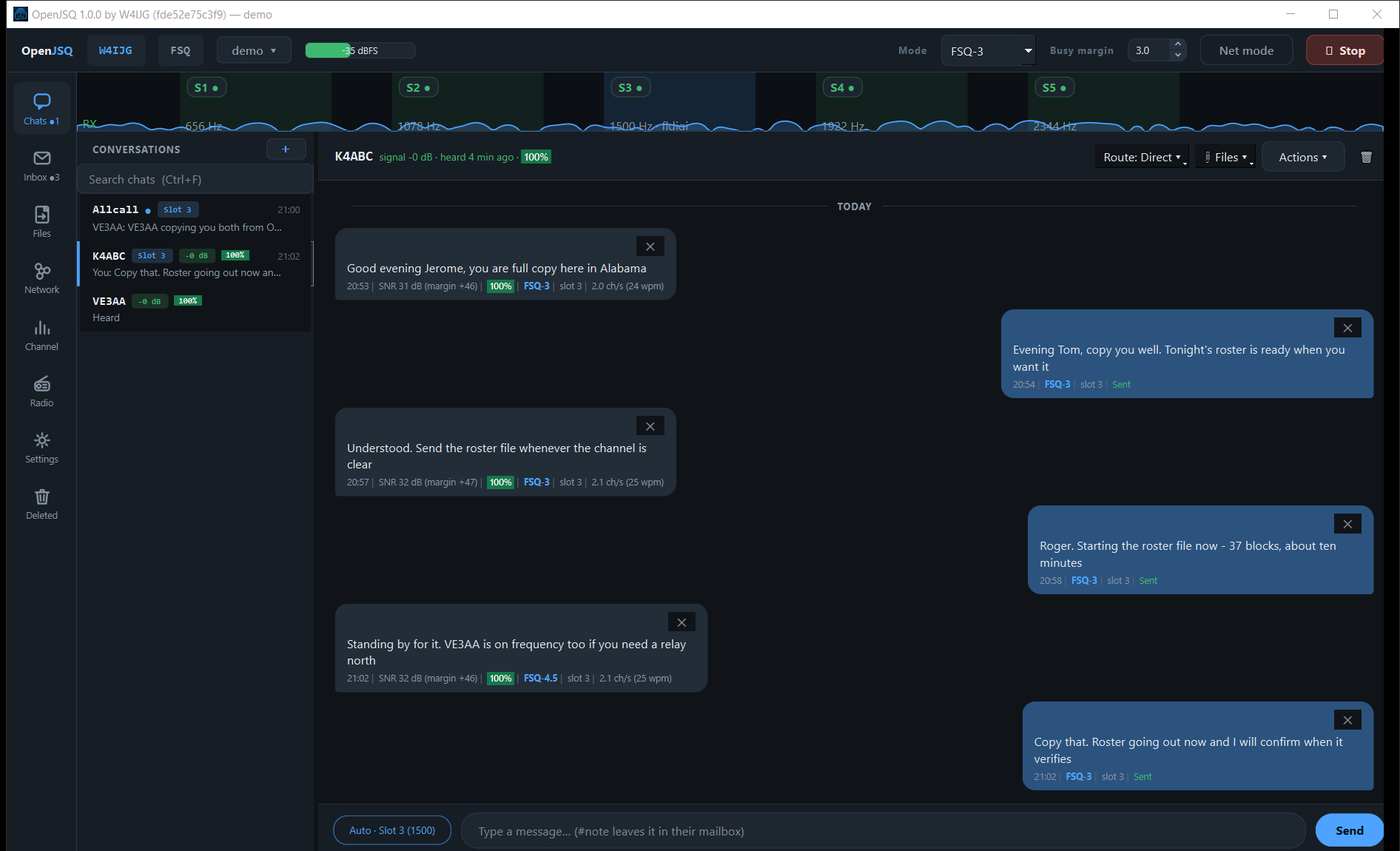
OpenJSQ brings familiar station and group conversations to your radio, with clear delivery status and radio details when you need them. Choose your conversation, write your message, and stay focused on the contact—not on memorizing commands.
Tour OpenJSQSee your first contactPublic release coming soon · Free to use · 64-bit Windows 10/11 · Public on-air specifications
Release status & what you need
Emergency communications · EMCOMM
When internet access is unavailable, OpenJSQ can help amateur-radio operators exchange updates, coordinate resources and share files over compatible radio links.
Bring team updates, situation reports and resource requests into a shared group conversation. Operators join the group on compatible stations to follow the team’s traffic.
Station & group chat →Hold mail until the recipient station returns, or hand it to a willing mailbox station. A team member can reconnect and catch up.
Store-and-forward mail →Send documents and files with missing-piece recovery and integrity verification. Advertise shared files so compatible stations can browse what they need.
Reliable files & sharing →See which stations hear one another and consider supported relay options. Reception reports help operators identify possible paths for traffic.
Stations & relay paths →Native ICS 213 formsCompose a structured general message in a fill-in sheet. Received forms open in the conversation or Inbox.Forms in the operator guide →
Read the status, not just the send action: transmission, mailbox custody and final delivery mean different things. Understand delivery status
Your station, connected
Use an audio interface you already own, or connect an external packet TNC.
Key the transmitter with VOX or serial PTT, as your interface supports. Audio setup
Bluetooth serial TNCs use the serial route. BLE KISS requires a compatible device and build support. Packet setup
Compatibility depends on both stations. Use a compatible waveform and JSQ services supported by both peers. Legacy FSQ chat and commands do not provide JSQ verified delivery; standard AX.25 equipment also needs a JSQ-aware receiving application for JSQ services. Service support · Legacy FSQ · JSQ over AX.25
One amateur radio operator, and a public on-air record.
OpenJSQ is written by Jerome Goddard II, W4IJG. He designed the JSQ transport and the FSQ Fast and JG25-FM modems it carries, and publishes every on-air format here so any operator or developer can read, decode and implement it. Public specifications
AI-assisted development has played a substantial role in bringing OpenJSQ to life, guided by Jerome’s amateur-radio experience and vision for the project.
JSQ builds on the work of others: FSQ was designed by Murray Greenman, ZL1BPU, and Con Wassilieff, ZL2AFP, and JS8Call was created by Jordan Sherer, KN4CRD.
Free to use. Closed source. Every on-air code is published.